

Turn Your Blog Into a Sales Channel With Shoppable Sections
Plenty of Shopify stores have a blog that quietly works. Articles rank, people read them, traffic shows up in analytics every month. And almost none of that traffic buys anything, because the article ends with a paragraph and a hope.
The gap is not content quality. It is that reading and buying happen in two different places on your site and nothing connects them. A shopper finishes an article about choosing a first cast iron pan, feels ready to buy a cast iron pan, and is handed the main navigation. Most of them do not make the trip.
Shoppable content closes that distance. The products appear in the article, at the moment the article makes someone want them.
Why blog traffic converts so badly by default
A shopper who lands on a product page arrived with intent. A reader who lands on an article arrived with a question. That difference is real, and blog traffic will always convert lower than product traffic.
But the usual gap is much wider than it needs to be, and the reason is mechanical. A reader who becomes interested mid article has to notice they are interested, leave the article, find the right product, and start over. Every one of those steps loses people. The interest was real. The path was missing.
The fix is not more persuasive writing. It is putting the product within reach at the point where the interest peaks.
What "shoppable" actually means here
There are three levels, and they build on each other.
Inline links. The cheapest version. When you mention a product in the body of an article, link it to the product page. Most store blogs do not even do this, or they link to a collection instead of the specific item.
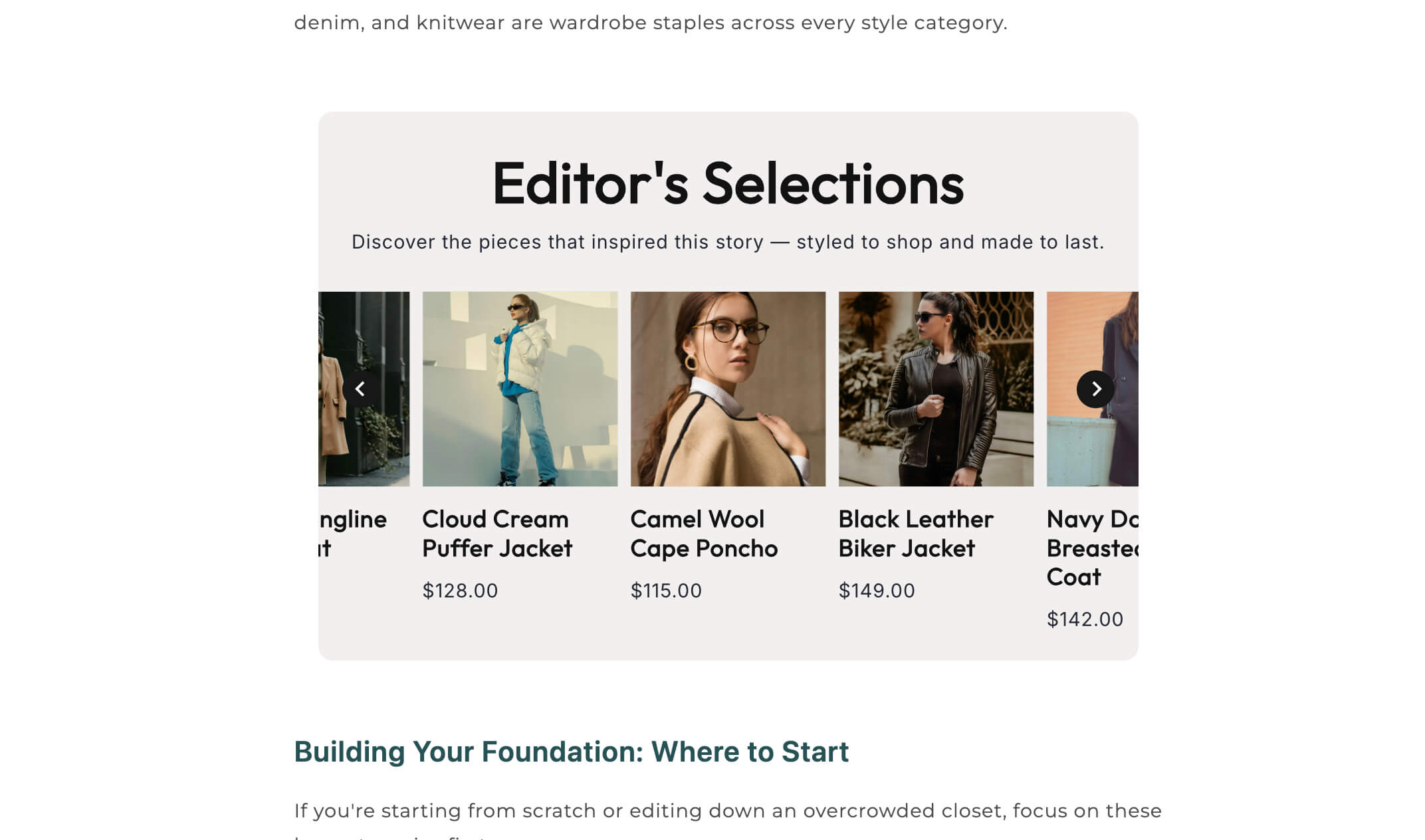
Product cards inside the article. A visual block, image, name, price, and a button, dropped into the flow of the piece. This is dramatically more effective than a text link, because it looks like something you can buy rather than something you can read about. A shop the article section does exactly this, letting you place the products the piece is really about inside the piece itself.
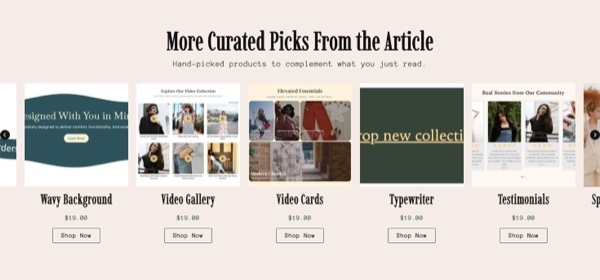
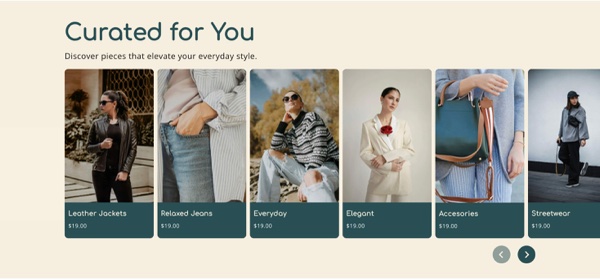
A shop set at the end. A row of the products featured in the article, presented as a group. A product cards carousel works well here, since it holds several items without eating half a screen.
Do all three in the same piece and you have covered the reader who is convinced early, the one who is convinced by a specific paragraph, and the one who is convinced at the end.
Which articles are worth making shoppable
Not every post deserves this treatment, and forcing products into an article that does not support them makes the whole blog feel like an ad.
The best candidates are the ones where the reader's question already implies a purchase.
Buying guides and comparisons. Someone reading "how to choose a chef's knife" is shopping, not studying.
How to articles where your product is the tool. A guide to seasoning cast iron should have the pan, the oil, and the scrubber in it.
Gift guides, which are the purest form of this and should be shoppable end to end.
Care and maintenance pieces, which are where you sell the refill, the replacement part, and the accessory.
Stories and lookbooks, where the point is that the reader wants what they are seeing.
The posts where restraint is better are your genuinely editorial pieces, brand stories, interviews, industry commentary. Those build trust and rank for broader terms. Put one relevant product block at the end and leave the body alone.
How to do it without ruining the article
Match the product to the paragraph. A product block that appears next to the section it relates to converts. A block of unrelated bestsellers inserted at random reads as an ad and gets scrolled past. Relevance is the whole mechanism.
Two or three products, not twelve. An article with a dozen shoppable blocks stops being an article. Pick the ones the piece is genuinely about.
Let the content earn it first. Do not open with a product block. Give the reader the useful part, then offer the product once you have been helpful. Front loading the sell is why so many brand blogs feel worthless.
Keep prices and stock live. A hardcoded price in a blog post from eight months ago will be wrong, and a link to a discontinued product is a dead end. Sections that pull from your live catalog stay correct on their own, which matters because nobody goes back and audits old posts.
Do not let it slow the page down. Product blocks add images and requests. Keep them lean, lazy load anything below the fold, and check the article on a phone.
Close the loop the other way too
The connection runs in both directions, and the reverse direction is the one most stores forget.

Put related articles on your product pages. A shopper hesitating on a product often has a question your blog already answers, and a blog posts section on the product page gives them somewhere to resolve it without leaving. This is also strong internal linking, which pushes authority from articles that rank into product pages that need it.
Surface relevant articles on collection pages, especially buying guides for that category. Someone browsing a category and unsure which to pick is exactly the reader your guide was written for.
Measure whether it works
Set this up so you can actually see the result, otherwise you are guessing.
In Shopify analytics, look at sessions that included a blog page and compare their conversion rate before and after you add shoppable sections. Track clicks on the product blocks if your setup allows it. Watch which articles produce assisted conversions rather than only last click sales, since a buying guide often influences a purchase that completes days later.
Then keep score by article. Usually a small number of posts drive nearly all the commerce, and once you know which ones, you know where to point your effort and your internal links.
The bottom line
A blog that ranks and sells nothing is a traffic problem you already solved and a conversion problem you have not. Put the relevant products inside the articles where the interest peaks, keep them live rather than hardcoded, use restraint on the editorial pieces, and link back from product pages to the articles that answer real doubts.
The Abra section library includes shop the article, product card carousels, and blog post sections that install into your theme and pull from your live catalog, so the connection between content and checkout stays current without you maintaining it by hand.
Frequently asked questions
Does a Shopify blog actually drive sales? It can, but rarely on the last click. Blog traffic usually influences purchases that complete later, so judge it on assisted conversions and returning visitors rather than direct sales from the article. Adding shoppable product blocks inside the articles closes much of the gap by removing the navigation step between interest and purchase.
How many products should I put in a blog post? Two or three that the article is genuinely about, placed next to the relevant sections, plus an optional set at the end. More than that and the piece reads as an advertisement, which undermines the trust that made the article worth reading in the first place.
Should I hardcode product links in blog posts? Avoid it where you can. Hardcoded prices go stale and links to discontinued products become dead ends, and nobody audits old articles. Sections that pull live product data stay accurate on their own, which matters most for the older posts still bringing in traffic.